Every print. Every spool.
Your dashboard.
Live status, filament stock and material costs, self-hosted in one Docker Compose stack.
Runs in Docker. Works with Bambu Lab X1, P1 and A1. AGPL-3.0.

One dashboard. Six jobs.
Understand a print and the material it consumed without a spreadsheet, a tab farm or a cloud account you do not control.
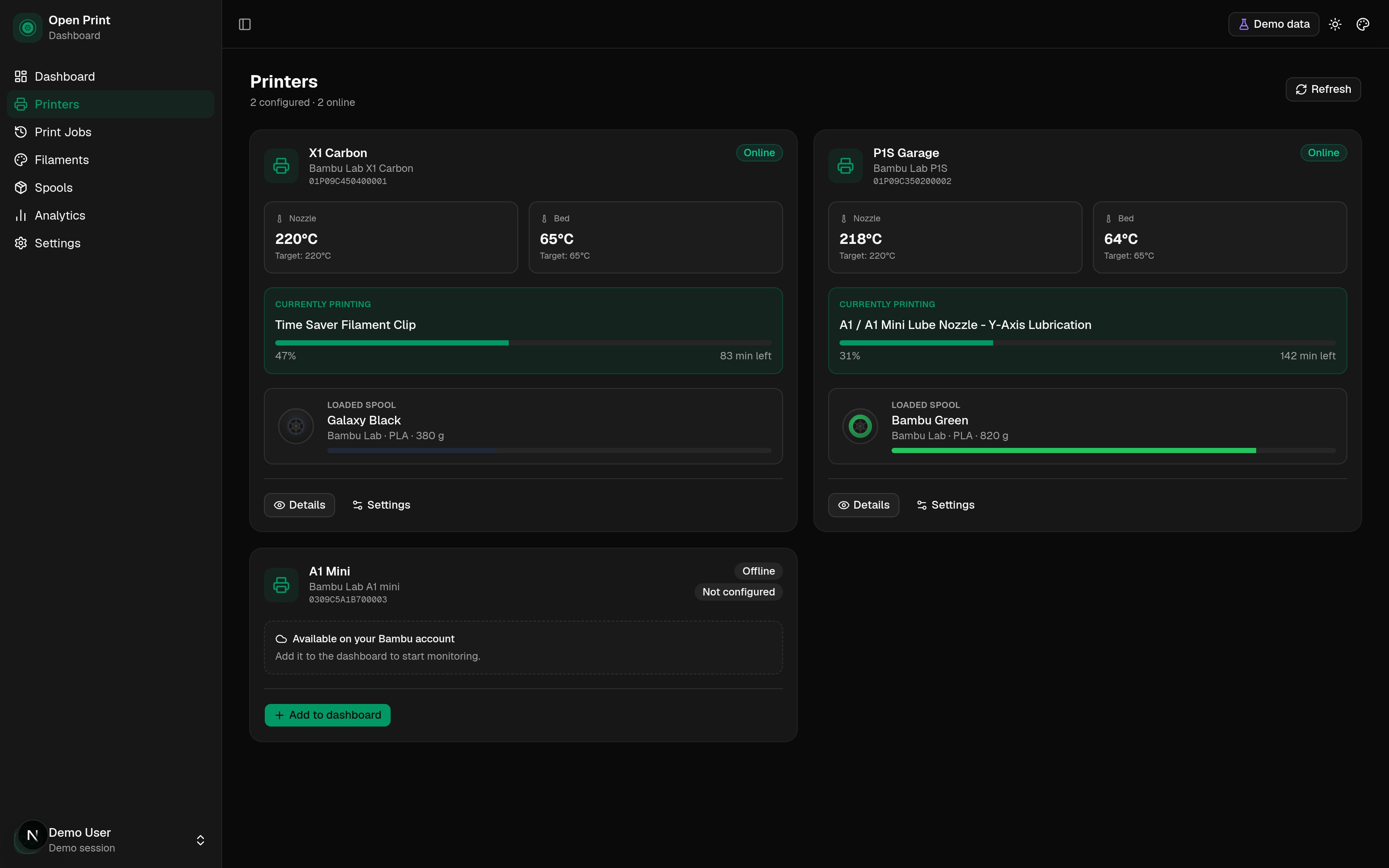
Nozzle, bed, progress, layers, time left, fan and speed.
Live printer status, demo data.
See the print, not just the percentage.
Nozzle and bed temperatures with targets, progress and layers, time remaining, fan speed and speed level. If the connection drops, it reconnects. If a printer is offline, it says so.
- Nozzle and bed temperature, current and target
- Progress, layer count and time remaining
- Fan speed, speed level and online state
- Automatic reconnect after a network blip
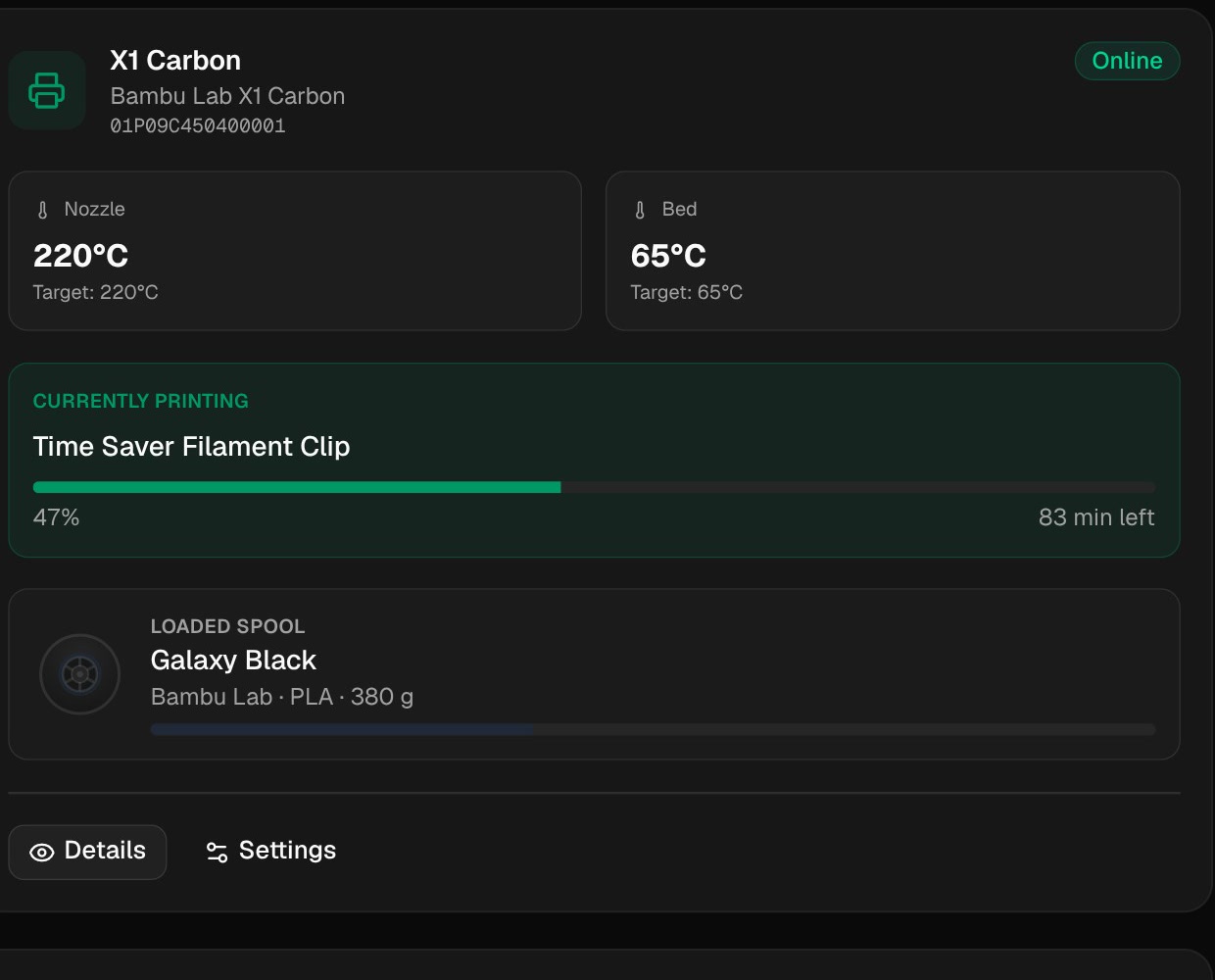
Know what is left before you print.
A library of every filament, a spool for every roll, and a running answer to whether you have enough for the next print. Usage is deducted after each job.
Native companion app
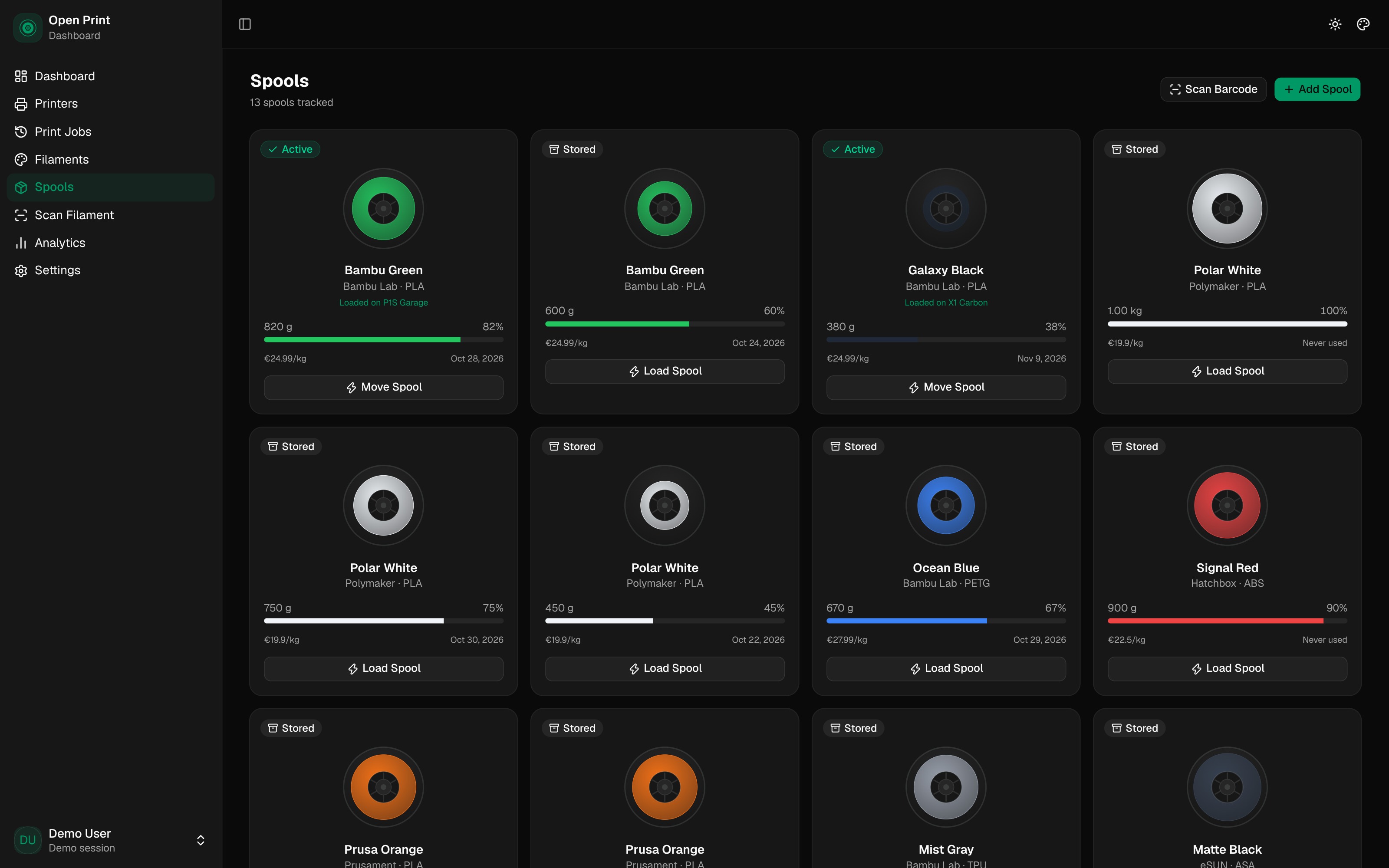
Scan a spool with your phone.
Point the native scanner at the Bambu box. Known barcodes create the spool; unknown ones ask for the details once. The phone reads the same inventory as the dashboard.
- 01
Open the scanner
The system camera handles focus, torch and zoom.
- 02
Scan the box
The barcode is checked against the Bambu catalog.
- 03
Spool added
The roll is linked to the filament and ready to load.
Native iOS and Android app, connected to the same dashboard.
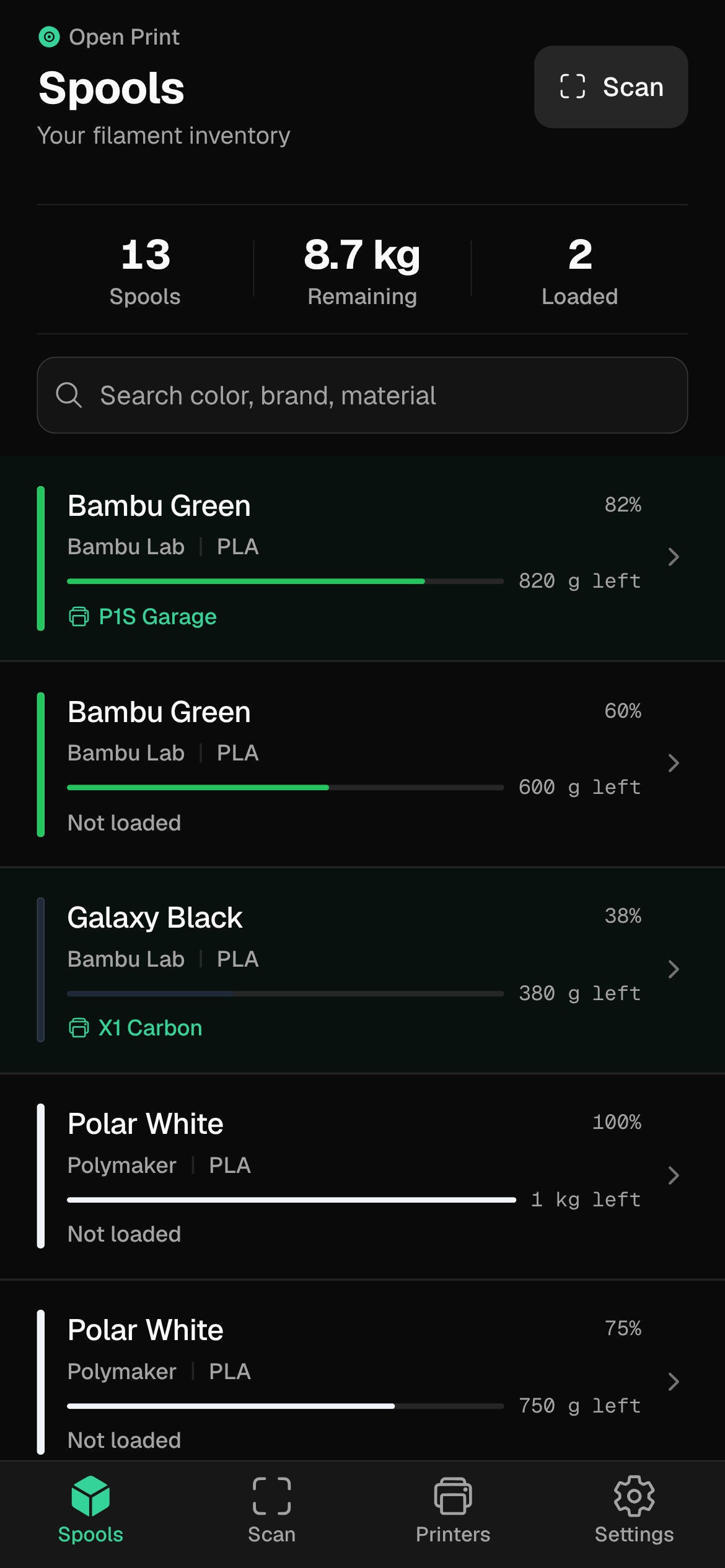
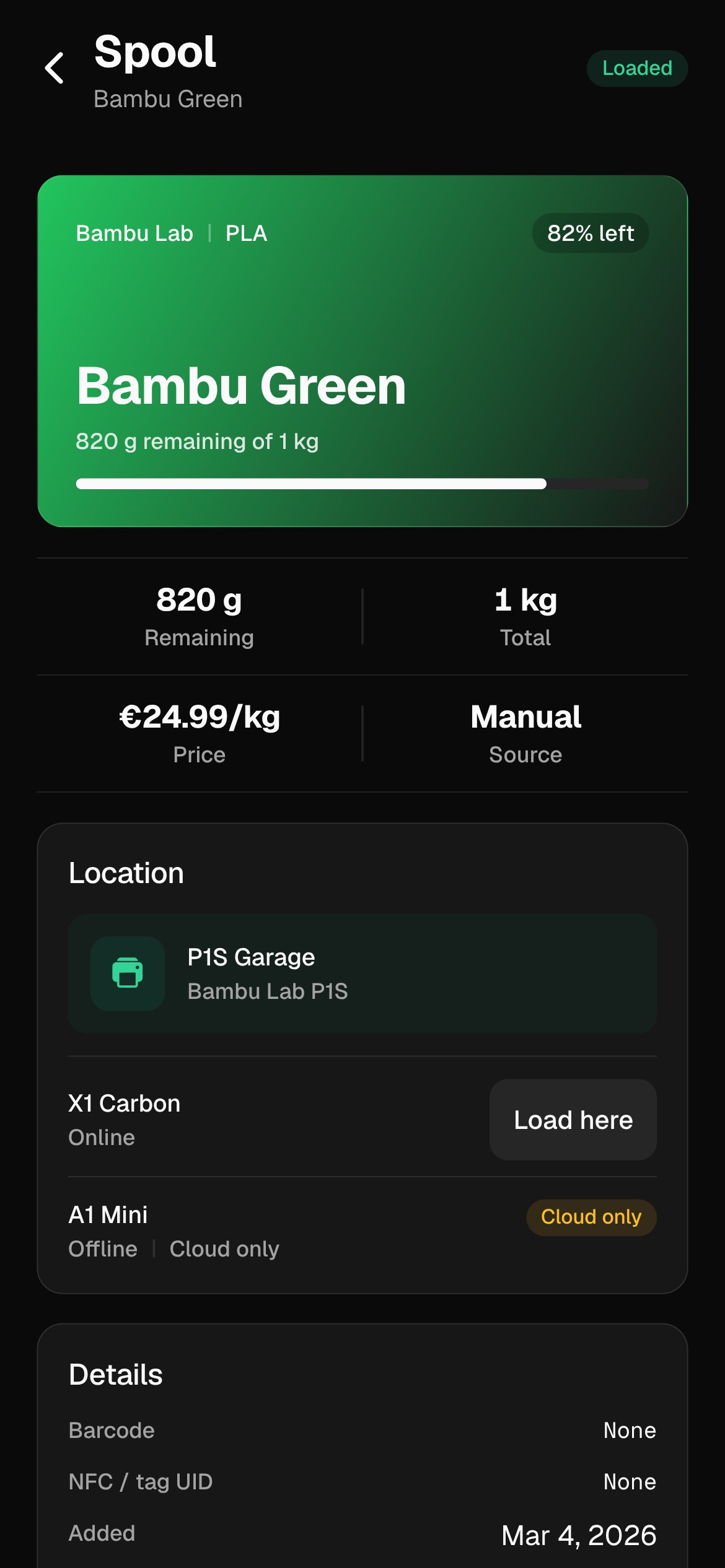
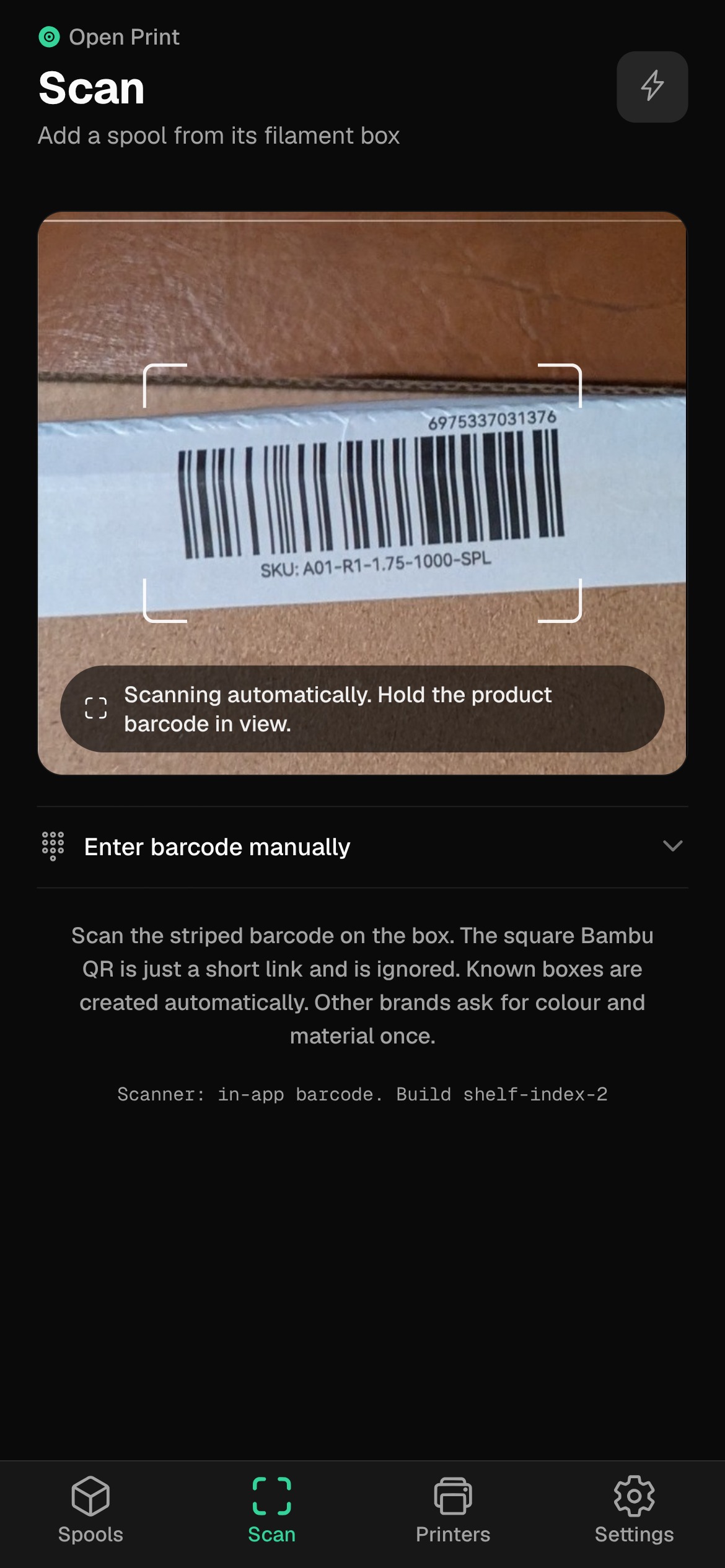
Inventory, spool detail and barcode scanning, demo data.
Every print, with the receipt.
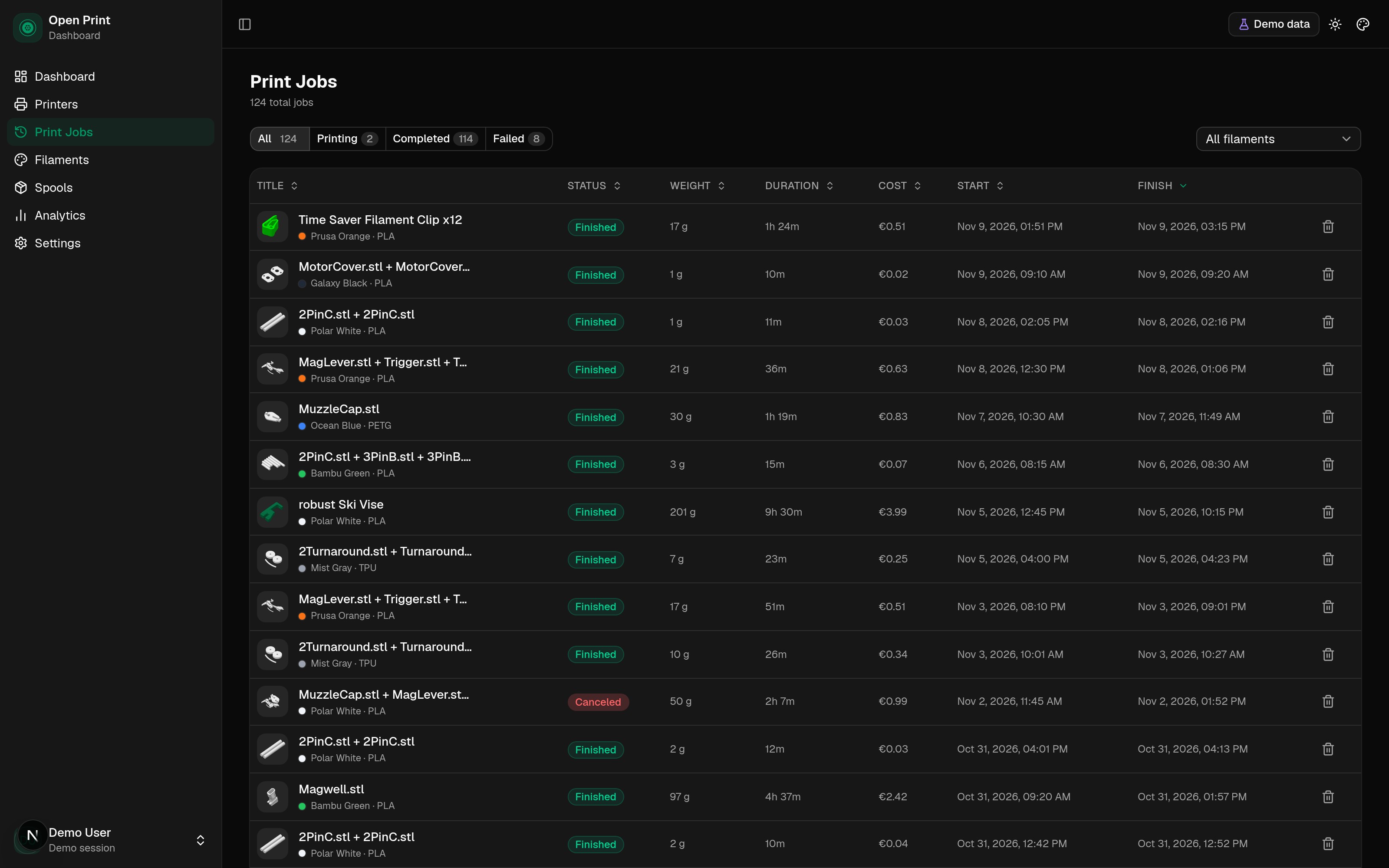
A searchable history with the file, weight, duration and outcome. Analytics roll it up into success rate, material used and what each print cost in filament.
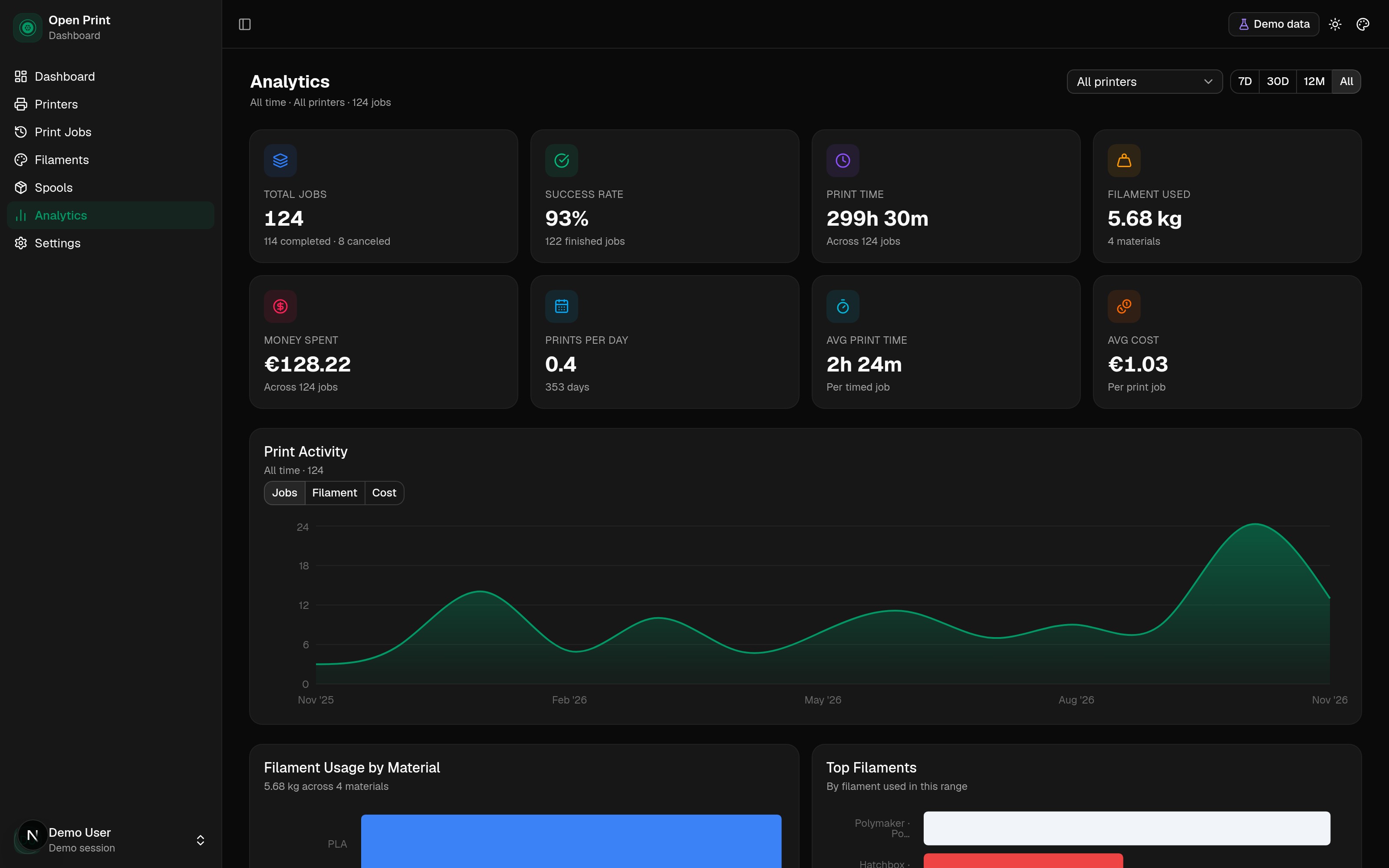
Filter the history
All, printing, completed or failed. Filter by filament. Sort by date, weight, duration or cost. Delete the jobs you do not need.
Cost that means something
Each job uses the spool price per kilogram and the slicer-reported weight. Change a spool price and future estimates follow.
Your data stays on your hardware.
OpenPrintDash is software you run, not a service you subscribe to. The app, print history and inventory live on your hardware. Bambu Cloud is part of the printer connection, and we say so plainly.
- Stack
- Next.js, FastAPI and PostgreSQL in one Docker stack.
- Data
- History, spools and costs in your own database.
- Secrets
- Bambu Cloud credentials, encrypted at rest.
- Cloud
- Bambu Cloud for account and history sync. No telemetry.
Would rather not run the stack yourself? Managed hosting is in beta.
See the hosting betaInstall it in one Docker stack.
You need Docker, Docker Compose and a Bambu Lab account with your printer bound to it. The setup wizard walks you through the rest.
git clone https://github.com/SchlangeGoto/open-print-dashboard.git
cd open-print-dashboard
cp .env.example .env
docker compose -f compose.prod.yml up -d --build
Then open http://localhost:3000
Poke around the real thing.
The demo runs the actual dashboard with simulated printers and seeded spools. No signup, no install, no cleanup afterwards.
The things people ask before installing.
Still unsure? Open an issue on GitHub. The answers usually end up in the docs.
Do I need a Bambu Lab account?+
Yes, Bambu Cloud is part of the connection and history sync today. The dashboard and your data still run on your own server.
Does it work without internet?+
Not fully today. Bambu Cloud features need internet. Your self-hosted data stays on your server either way. Check the docs for the current connection modes.
Which printers are supported?+
X1, P1 and A1 series are tested today. Check the docs for the current verified list.
How accurate is the cost?+
It uses your spool price per kilogram and the slicer-reported weight. It is a material-cost estimate, not a utility bill. Energy and machine time are not included.
Where are my printer credentials stored?+
Bambu Cloud credentials are encrypted at rest with a key derived from your SECRET_KEY. They are sent to Bambu Cloud only to monitor your printers.
How do updates work?+
Pull the new code and rebuild: git pull, then docker compose -f compose.prod.yml up -d --build. Your database lives in a Docker volume and survives updates.
Built in the open.
OpenPrintDashboard is AGPL-3.0. Read the code, run it, fork it, send a pull request. No open-core tricks, no feature gates, no telemetry.
The code is public.
Read it, run it, fork it, send a pull request. The full history is on GitHub.
The data is yours.
PostgreSQL on your machine. Back it up, move it, inspect it.
A hosted option is in beta.
For people who want the dashboard without running a server. The beta is small; self-hosting stays free.
Support the project.
If OpenPrintDash saves you time, you can sponsor it on GitHub. Donations cover the demo, the domain and maintenance; self-hosting stays free.
Sponsor on GitHub